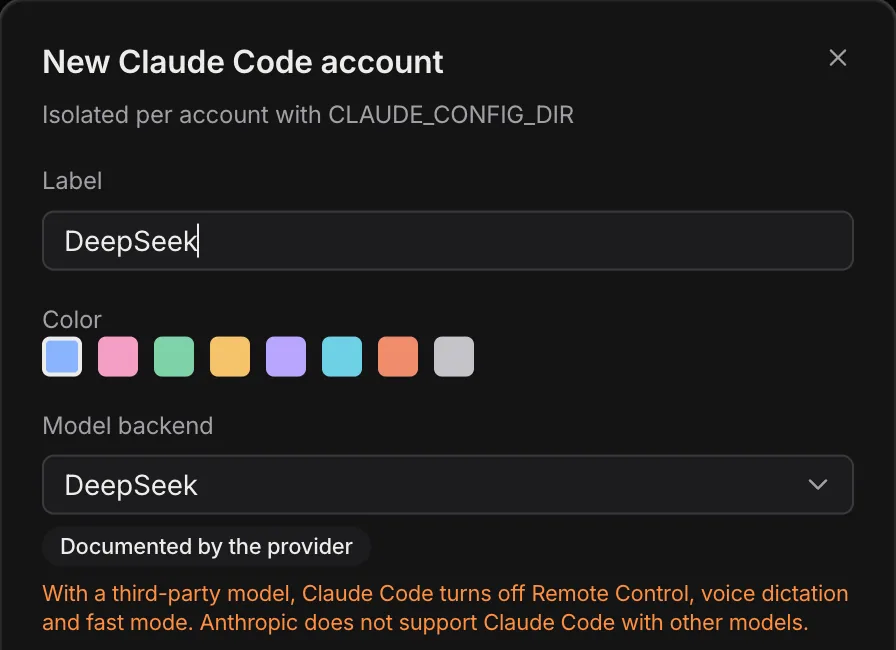
Isolated accounts per provider
Several Claude Code, Codex or OpenCode accounts side by side, each in its own home folder. No more signing out and back in.
YardPro runs Claude Code, Codex, OpenCode and other AI CLIs side by side, each account isolated, on the model you choose, in a terminal mosaic or a chat view built for many agents at once.
YardPro finds each one on your PATH, with its version.
Already working in the desktop app.
Several Claude Code, Codex or OpenCode accounts side by side, each in its own home folder. No more signing out and back in.
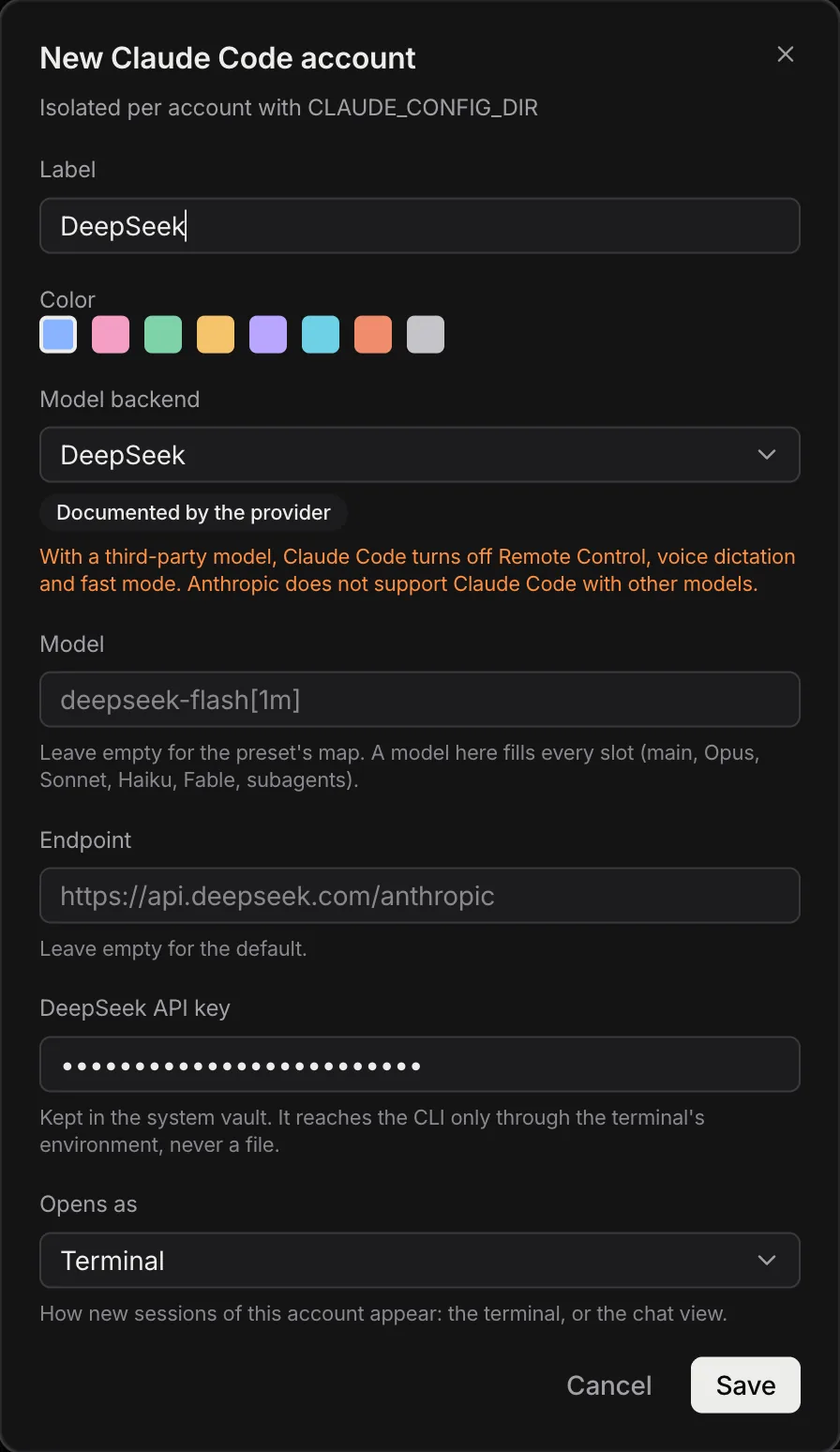
Run Claude Code, OpenCode or Codex on another backend, such as DeepSeek, Kimi, GLM, OpenRouter or Ollama. The API key stays in the system vault.
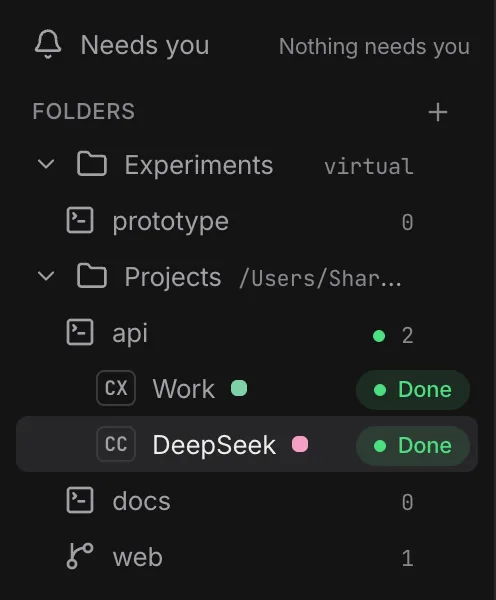
Link a real folder or keep a virtual one. A workspace can run in its own git worktree, with a default account and extra environment.
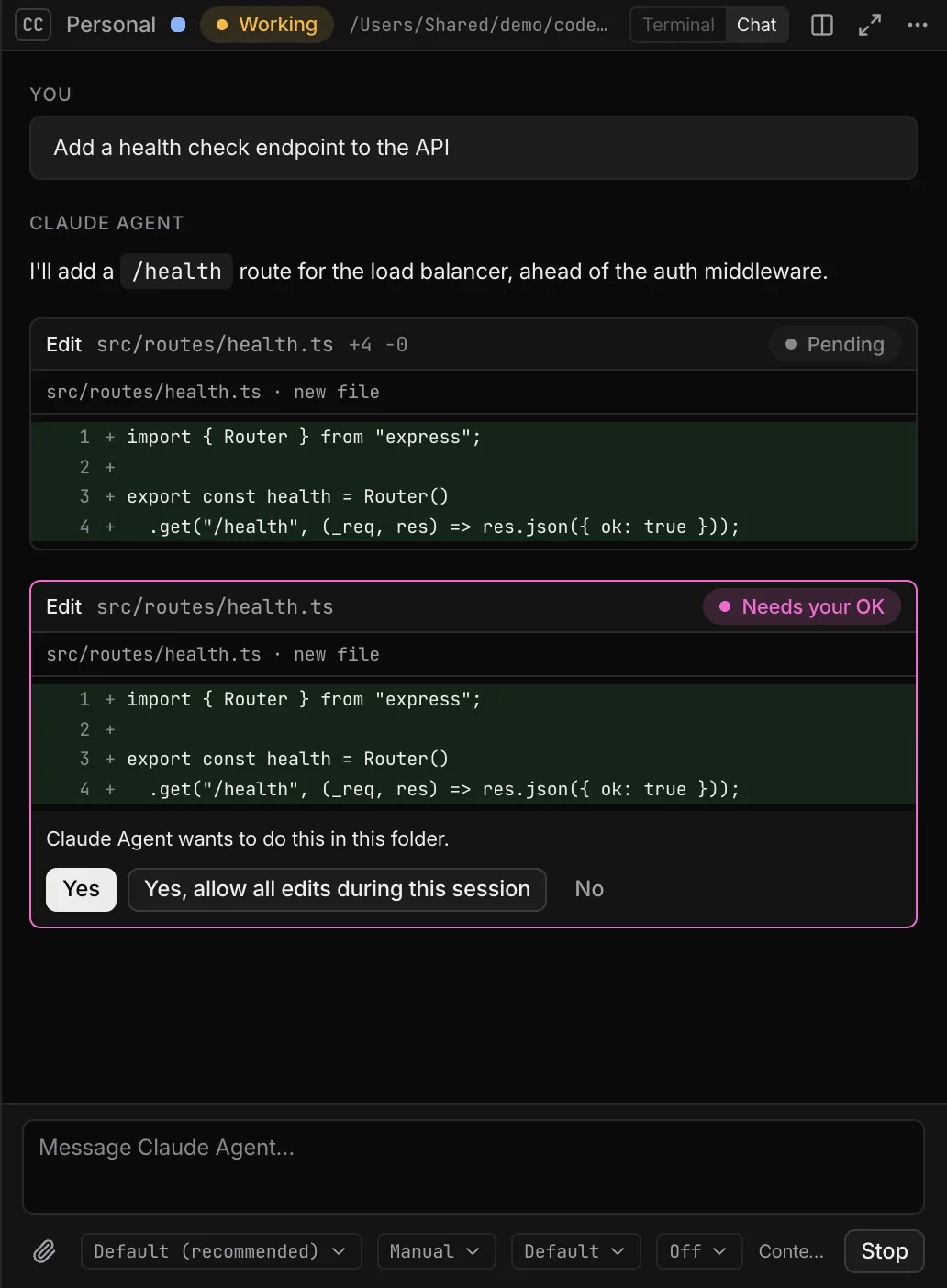
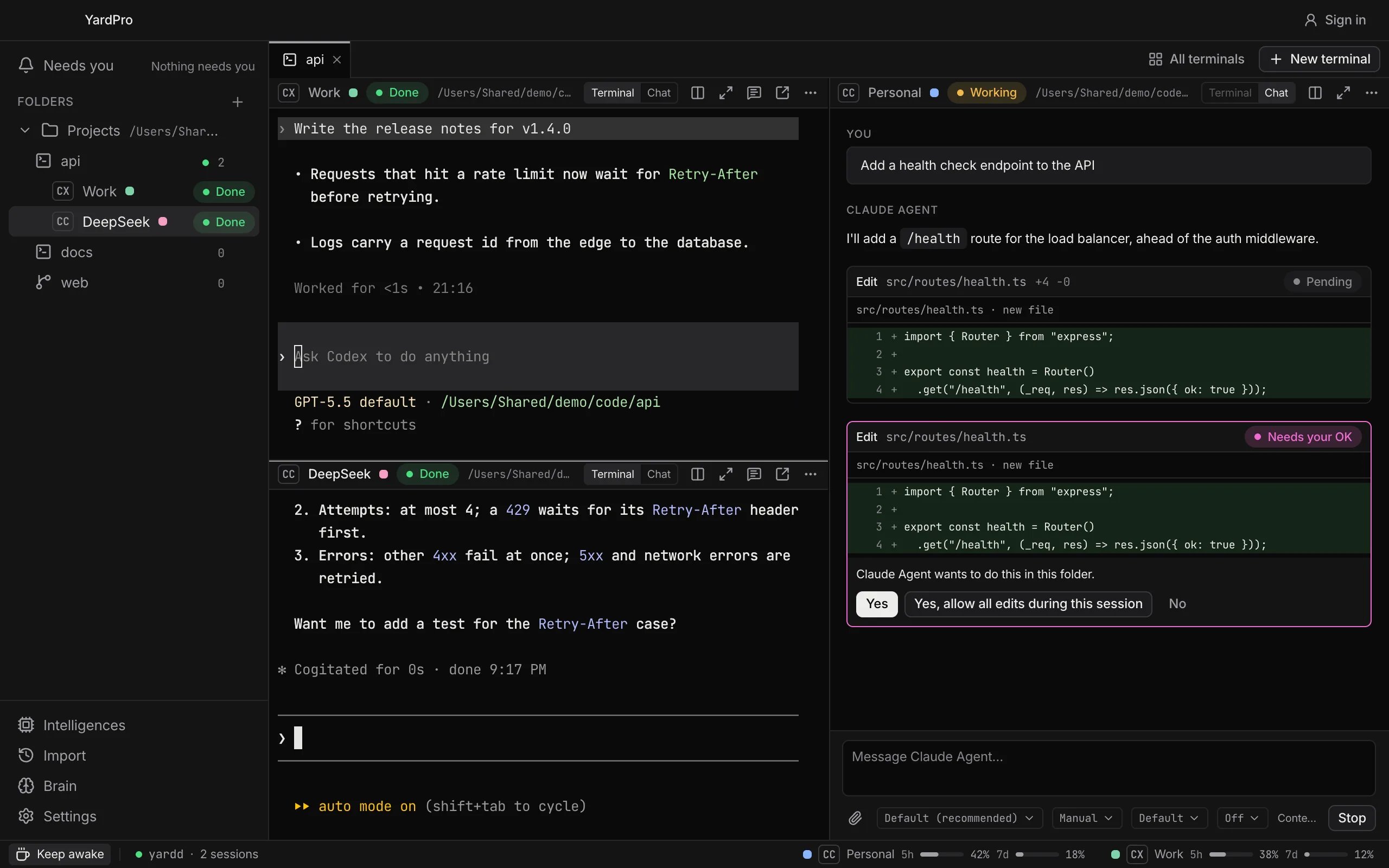
Open a session as the plain terminal or as a chat: streaming answers, tool cards with diffs and approvals by button. Claude Code and Codex move the same conversation between both.
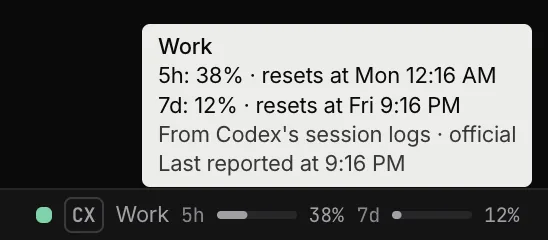
5-hour and weekly bars for your Claude and Codex plans in the status bar, with where each number comes from.
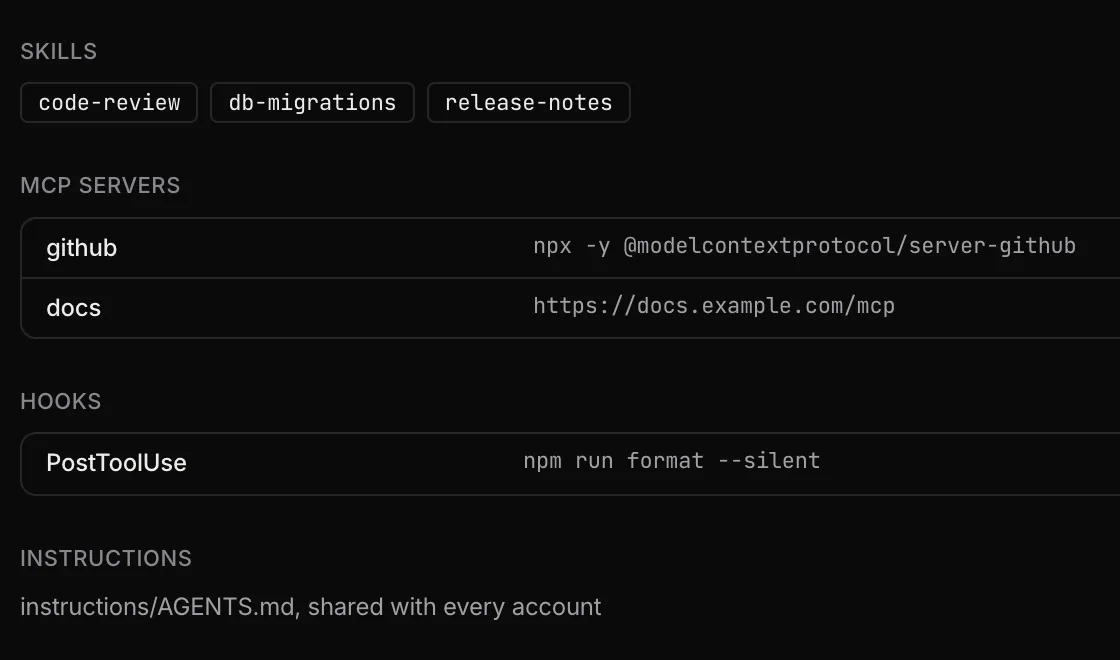
Import your skills, MCP servers, hooks and instructions from each CLI once. YardPro writes them into every account, in each CLI's own format.
Split, drag, zoom and restore. Every workspace remembers its layout.
Split, move and resize terminals. Reopen the app and the layout comes back.
Send a terminal to another monitor. It stays attached to the same session.

One click keeps the display awake while long tasks run.
The terminal service keeps your sessions alive while the window is closed.
Accounts, workspaces and terminals, set up from the app.
Add an account per provider. YardPro opens the CLI's own sign-in in an isolated terminal, or keeps your API key in the system vault.
Group work in folders. Terminals of a workspace start in its directory with its default account and extra environment.
Open terminals in a mosaic, zoom into one, see every terminal at once, or send one to another monitor.
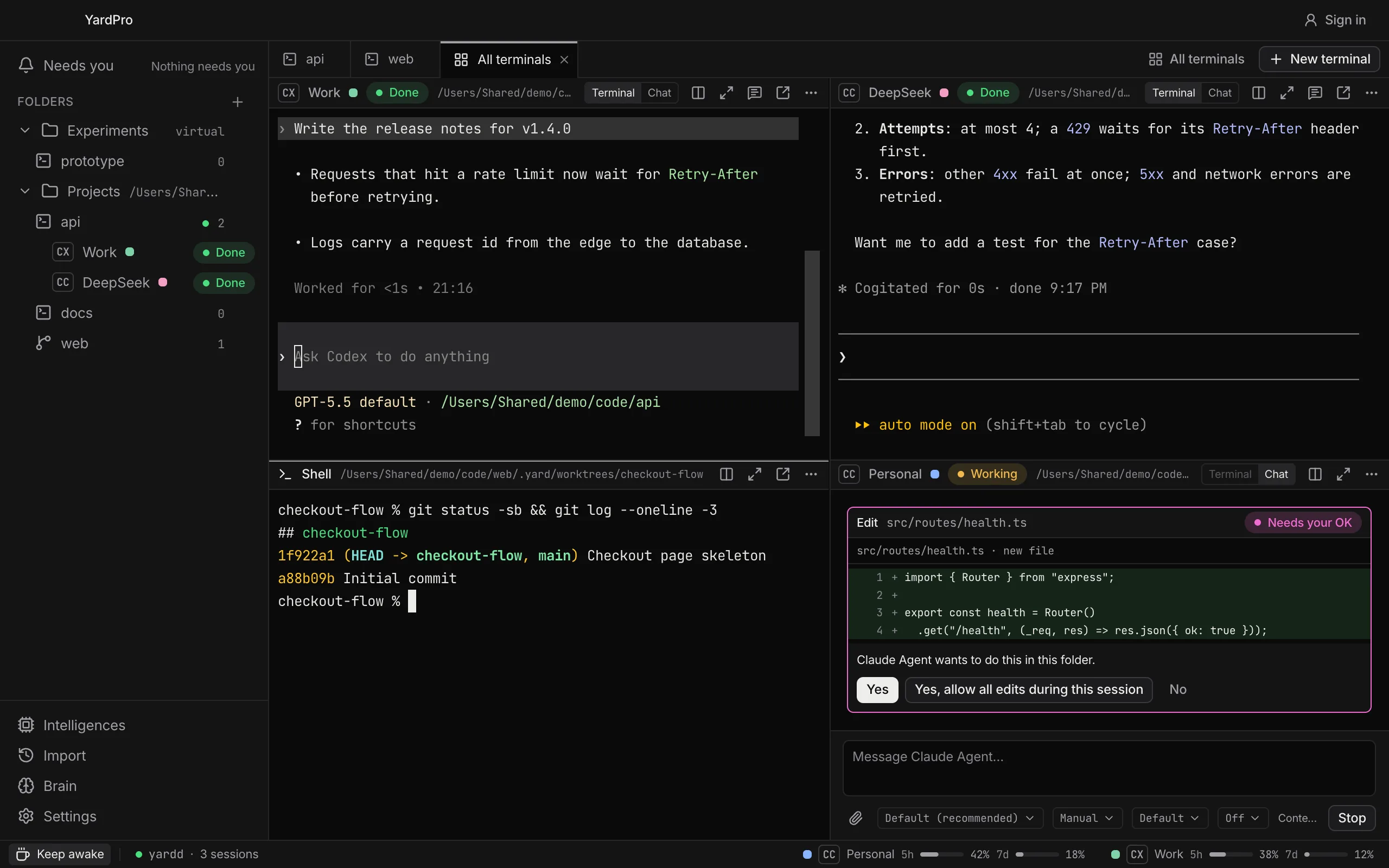
YardPro organizes your CLIs without taking over their configuration.
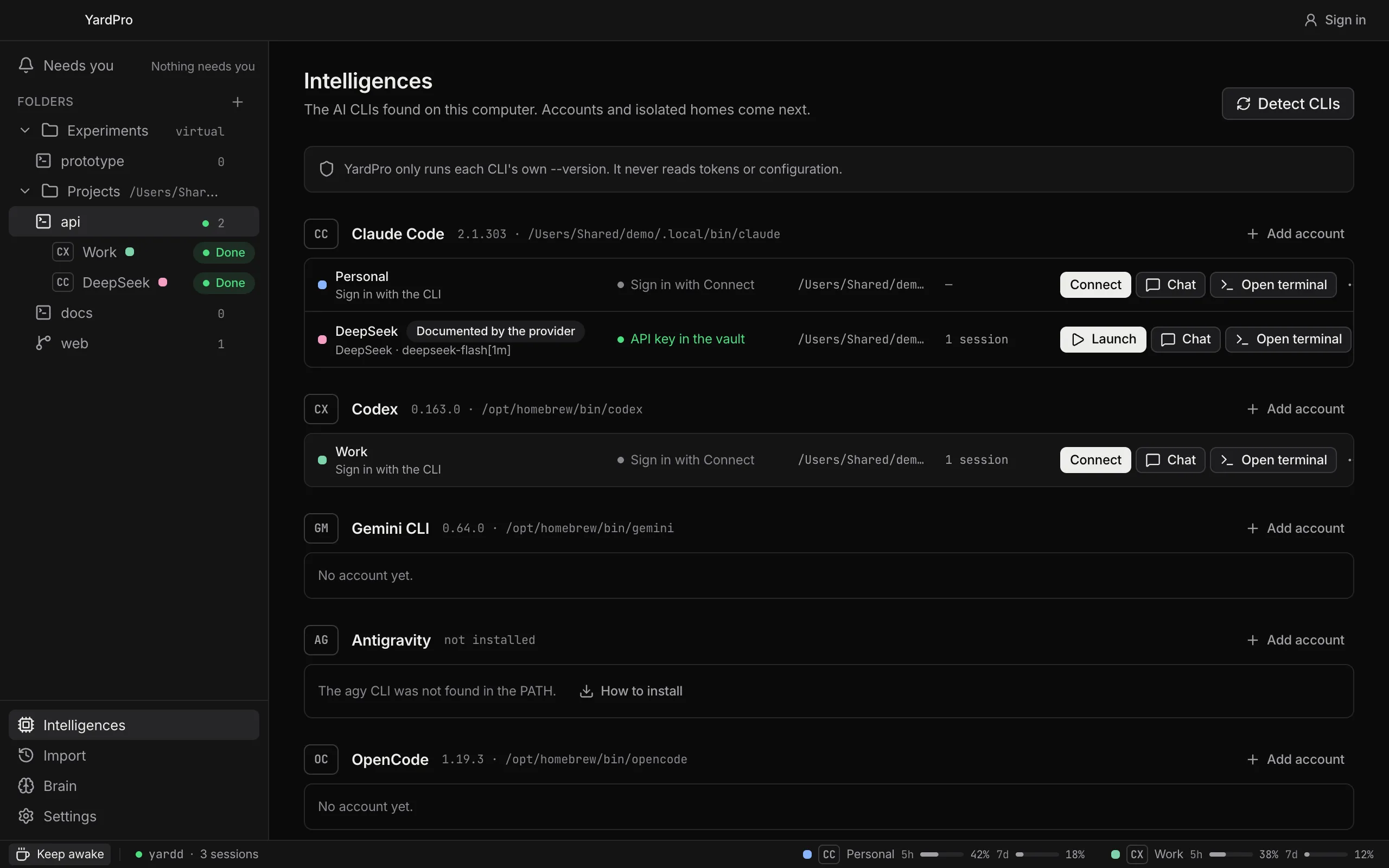
To find your CLIs, YardPro only runs each one's --version. It never reads your tokens.
Each account signs in inside its own isolated folder, so accounts never share a login.
API keys reach the CLI only through the terminal's environment, never a file.
Presets for DeepSeek, Kimi, GLM, MiniMax, Qwen, OpenRouter and Ollama, with your own model and endpoint.
Planned and not available yet.
Facts every account and every CLI can save and recall, with search by meaning.
A message bus between sessions, and rules that hand work from one agent to the next.
Tokens and cost per session, workspace and account, Gemini and OpenCode included.
Dictate straight into the selected terminal, transcribed on your machine.
Inspect an element on a page and send it to the terminal.
Follow and control your CLIs from iOS and Android, end-to-end encrypted.
What YardPro does today, and what it does not.
No. There is no editor, file tree, diff viewer or file search. Your editor stays yours; YardPro runs and organizes your AI CLIs.
Claude Code, Codex, Gemini CLI, Antigravity, OpenCode, Kimi Code, Qwen Code, Cursor CLI, Copilot CLI, Goose and Grok Build, found on your PATH with their version. Any other command runs in a plain shell.
Yes. A session opens as the terminal or as a chat view that talks to the CLI through the Agent Client Protocol, with approvals by button. Antigravity stays terminal only.
No. Detection only runs each CLI's --version, each account signs in inside its own folder, and API keys stay in the system vault. The brain keeps only the names of the keys your MCP servers read.
Yes. An account can run Claude Code, OpenCode or Codex on a third-party backend, including Ollama on your own machine. You choose the model and the endpoint.
macOS comes first. Windows and Linux are not validated yet.
The macOS download goes live on this page when the desktop app is ready. You can create your account now.
YardPro for macOS is in development. The download goes live here.